

15 Best WooCommerce Plugins


Looking for the best WooCommerce plugins?
A plugin adds functionality to your website. However, WooCommerce is a complex system with multiple functionalities.
WooCommerce is the largest e-commerce platform built using WordPress.
It’s super easy to use plugins to add specific functionality to your website. However, multiple plugins serve the same purpose. So, how to choose the best plugin that serves your needs?
We have listed the best plugins, each designed for a specific purpose.
Let’s dive in!
Why choose WooCommerce?
E-commerce is about handling
- Product placement
- Inventory management
- Order processing
- Payment gateway configuration
- Shipping and return
- Customer management
WooCommerce gets you covered in all these processes. However, three departments for a successful e-commerce business are a must.
These are:
- Functionality team.
- Customer relationship management
- Website optimization and maintenance
WooCommerce serves all three with the appropriate use of the best plugins. Let’s explore the best plugins.
Best SEO Plugins for WooCommerce
SEO is a must to get organic traffic to your WooCommerce store. SEO plugins help you perform best practices to achieve organic results.
1. Yoast SEO
Yoast is a famous and must-have WordPress plugin. It helps you with your e-commerce SEO.
Key Features of Yoast SEO:
- Optimizes product pages for search engines (i.e, title, meta description, URLs)
- Adds schema and structured data for rich results. (price, availability, etc.)
- Breadcrumbs and canonical URLs for better navigation.
Best for: beginner store owners who want a complete SEO solution.

2. Rank Math
RankMath is a lightweight and powerful seo plugin. Its WooCommerce options make it an advanced WordPress plugin.
Key Features of Rank Math:
- Auto-generates meta titles and descriptions for products.
- Includes schema markup for product listings.
- Built-in redirection, 404 monitoring, and advanced analytics.
Best for: users who want an all-in-one free plugin with advanced controls.

3. AIOSEO
It’s also called an all-in-one SEO plugin. It comes with built-in WooCommerce SEO features.
Key Features of AIOSEO:
- Optimizes product titles, descriptions, and images
- Supports XML sitemaps, product schema, and social sharing
- Easy-to-follow SEO checklist
Best for: users who are experts in SEO and on-page optimization. Not recommended for beginners.

4. CrawlWP SEO
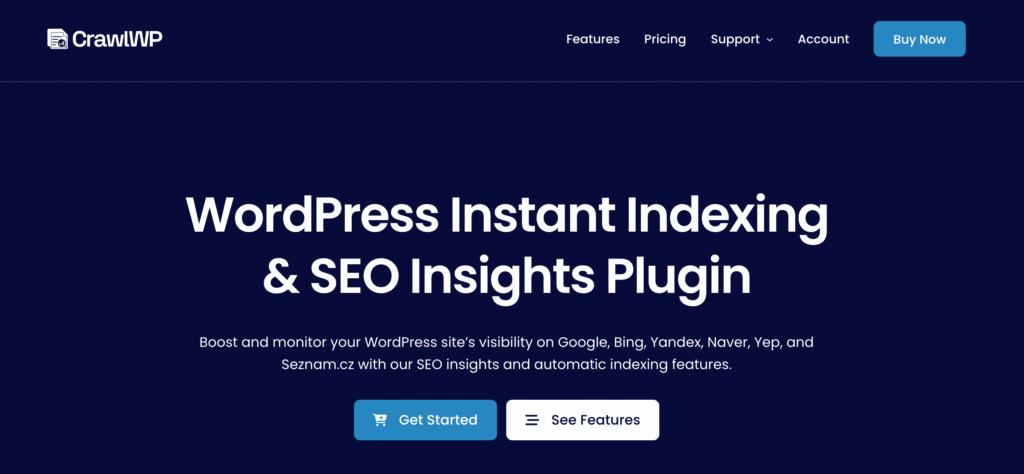
CrawlWP WordPress SEO plugin helps search engines like Google, Bing, and Yandex index your website content, blog posts, pages, and even WooCommerce products.
It ensures your most important pages are discovered quickly and informs you about their index status, all from your WordPress dashboard.
Key features of CrawlWP SEO Plugin:
- View your WordPress content SEO performance and insights
- Real-time index status indicator for posts, pages, and products
- Google Search Console and Bing Webmaster Tools integration.
- Automatic submission of new and updated content for indexing
Best for: WordPress and WooCommerce site owners who want their content indexed quickly, monitored efficiently, and optimized for better search visibility.
Best Shipping Plugin For WooCommerce
Order fulfilment and shipping are a hectic task for an e-commerce business. Simplify your process with these WooCommerce shipping plugins.
1. WooCommerce Shipping
It is an official plugin for WooCommerce shipping. It can also be integrated with Courier servers.
Key features of WooCommerce Shipping
- Free to use and simplify your shipping process.
- Allow you to print shipping labels directly from the website dashboard.
- Helps calculate discounts and shipping rates depending on location and package size.
Best for: U.S.-based stores that need a basic, cost-effective shipping solution. Available worldwide.

2. Table Rate Shipping
Table rate shipping provides advanced shipping options to WooCommerce store owners. Free version available; however, functionalities increase with the paid plan.
Key features of table rate shipping:
- Helps calculate shipping cost according to package size
- Provide diverse shipping courier options for anytime, anywhere delivery.
- Polylanguage compatibility allows you to hide the shipping option for custom products and areas.
Best for: Stores with complex shipping strategies. Businesses that operate in a wide geographical area.

3. ShipStation
ShipStation is the best plugin for fulfilment and shipping for WooCommerce websites. Free plans with limited options are available.
Key features of Shipstation:
- It allows you to track and fulfill shipments and orders.
- Automate the shipping process for bulk orders.
- It can be integrated with other e-commerce platforms like Shopify.
Best for: stores operating mainly in the US and operating with multi-carrier logistics.

WooCommerce Best Checkout Plugins
A smooth checkout process helps in more conversions and customer retention. Easy payment gateways and plugins help in making checkout easy for your visitors.
1. WooCommerce One Page Checkout
WooCommerce one-page checkout is an official plugin from WordPress WooCommerce. Let customers choose products and complete checkout on a single page.
Key features of WooCommerce One Page Checkout:
- Faster checkout for selected products or promotions
- Cart page skipped for faster checkout process.
- Seamlessly integrates with the product and reduces abandoned carts.
Best for: WooCommerce stores that offer flash sales and limited-time offers.

2. Checkout Field Editor
The checkout field editor is a plugin that helps you edit and customize the checkout page with ease.
Key features of Checkout Field Editor:
- Add, edit, or remove checkout fields (billing, shipping, additional)
- Supports text fields, dropdowns, checkboxes, date pickers, and more.
- Control field visibility by user roles or conditions.
Best for: store owners who want full control over their checkout form without technical hassle.

3. CartFlows
Cartflows is the best checkout plugin for its sleek design and modern e-commerce functions.
Key features of Cartflows:
- Offers coupons placement and recommends related products that increase sales.
- Multiple checkout design templates to test which one converts better.
- One-click upsell with personalization helps in cart abandonment recovery.
Best for: WooCommerce stores that suffer cart abandonment issues and are focused on maximizing average order value.

Best Caching Plugins for WooCommerce
Caching is the most irritating thing that happens to WordPress users. A simple plugin can help get rid of caching issues and help improve your WooCommerce website’s performance.
1. WP Rocket
WP Rocket is the most trusted cache plugin for WordPress. It is one of must must-have WordPress plugins for the smooth working of your WooCommerce website.
Key features of WP Rocket:
- Improve performance by caching the page and browser in no time.
- Automatically detects WooCommerce pages to avoid caching the cart and checkout.
- It delays the JavaScript loading, which speeds up the loading time.

2. LightSpeed Cache
Lightspeed is recommended by WordPress as a cache plugin. It works best with LiteSpeed-enabled hosting. But cause issues with other hosting sometimes.
Key Features of Lightspeed:
- Minify the CSS. JS and HTML scripts that decrease the loading time.
- Image optimization through WEBP conversion helps increase the load time.
- Multiple CDN integrations and object cache help in performance optimization.
Best for: it’s a must have plugin, but works best for high-traffic stores, especially hosted on the Lightspeed server.

3. WP Fastest Cache
WP Fastest is a free cache plugin. Easily available in the WordPress plugin store. However, it sometimes clashes with other plugins that causing complications.
Key Features:
- One-click setup with basic caching and minification
- Option to exclude WooCommerce cart and checkout pages
- The premium version adds image optimization and mobile caching.
Best For: small to mid-sized stores that need basic speed improvements without complexity.

Multilingual WooCommerce Plugin
Stores operating around the globe may face some restrictions because of the language they use. A multilingual and multi-currency plugin can help boost traffic and localization for a better user experience.
1. WPML
WordPress multilingual plugin helps you scale your WooCommerce store at an international level with ease.
Key features of WPML:
- Localize language and currency according to the user’s location.
- Translate the whole store, including products and pages, in one go.
- Translate URLs and other taxonomies to keep the same language throughout the checking process.
Best for: international stores and WooCommerce websites targeting multiple regions.

2. PolyLang
Polylang is another localization plugin that is lightweight and easy to operate manually.
Key features of Polylang:
- Manual translation of content and taxonomies.
- Multilingual SEO support (URL slug, hreflang, etc.)
- WooCommerce support is available via a separate paid extension.
Best for: medium to high-level WooCommerce stores that can manually translate or can afford someone to do it for them.

3. TranslatePress
A front-end visual translation plugin that makes multilingual content easy.
Key features of Translatepress:
- Live visual editor to translate pages and products.
- Supports automatic translation (Google Translate/DeepL)
- Fully WooCommerce-compatible and SEO-friendly.
Best for: beginners who want a quick and intuitive way to translate their store.

Conclusion:
Wrapping up, we have provided the best plugins to get the most out of your WooCommerce stores.
But using the best plugin alone won’t get the work done. You need someone professional or with technical knowledge to integrate and maintain these plugins for the smooth working of your store.
If you need help with your online store, you can explore our professional WooCommerce development service and empower your e-commerce store to achieve its true potential.
Or if you already have a store running, we have affordable WooCommerce maintenance packages for you.
Get in touch!

Popular Guides
View All Guides

