

Custom Shopify Theme Development: How to Build One


You do not need a completely custom theme to make a Shopify store look professional. If your store only needs changes to colors, typography, page sections or a few features, customizing an existing Shopify theme may be the better option.
Some stores, however, need more control. Your products may require a different buying experience. You may need product pages that do not fit a standard theme, more flexible merchandising, custom navigation or a customer journey designed around specific conversion goals.
That is where custom Shopify theme development becomes useful. Instead of adapting your store to the limitations of an existing theme, you can build the theme around your brand, products, customers and business requirements.
Read More: 10 Best Custom Shopify Themes For Your Ecommerce Store
What Is Custom Shopify Theme Development?
Custom Shopify theme development means creating a Shopify theme around the specific requirements of a store rather than relying on the structure of an existing theme.
A custom theme can control important parts of the shopping experience, including:
- Homepage
- Collection pages
- Product pages
- Cart
- Navigation
- Search
- Promotional sections
- Content areas
- Mobile layouts
This is different from Shopify theme customization. Theme customization starts with an existing theme and changes its settings, layouts, styles or code. It works well when the theme already provides most of the structure you need.
Custom development is more appropriate when you continually work around theme limitations, require unique layouts or functionality or need a buying experience that an existing theme cannot support cleanly.
Here is how the custom development process typically works.
1. Start With Business and Website Strategy
Do not begin with code. First, define what the store needs to accomplish.
Consider:
- Who are you selling to?
- What are your main products?
- How do customers normally shop for them?
- What makes your offer different?
- What actions should visitors take?
- Where do customers currently experience friction?
- What limitations exist in the current store?
These decisions should guide the project before design begins. A clear website strategy helps connect business goals, customer needs, content and the role the website needs to play.
2. Plan the Store Structure
Next, map how customers will move through the store.
A typical ecommerce journey might look like:
Homepage → Collection → Product → Cart → Checkout
But your store may also need paths for product education, promotions, comparison pages, customer support or different product categories.
At this stage, decide:
- Main navigation
- Page hierarchy
- Product discovery paths
- Important content
- Conversion points
- Search and filtering requirements
The structure should reflect how customers actually research and buy your products. A structured website development process helps make these decisions before development begins instead of solving them after the theme has already been built.
3. Create the UX Design Direction
Once the structure is clear, plan the user experience.
UX focuses on how customers interact with the store, including:
- How easily they find products
- What information appears first
- How they compare options
- How variants are selected
- How they move toward the cart
- How the experience changes on mobile
For example, a store selling technical equipment may need comparison information and specifications before the customer is ready to buy. A fashion store may rely more heavily on imagery, browsing, product discovery and variant selection.
The UX should match the buying decision.
“62% of mobile ecommerce sites have mediocre or worse product-page UX. This supports the need for better custom UX and product-page design.”
Source: Baymard
4. Design the Shopify UI
Once the customer journey is established, translate it into the visual interface.
This stage covers elements such as:
- Typography
- Colors
- Buttons
- Product cards
- Forms
- Icons
- Product galleries
- Promotional sections
- Spacing
- Navigation
UX and UI should work together. UX determines how the experience should function, while UI determines how that experience is presented visually.
A custom design should make the brand recognizable without making the store harder to use. Important product information, pricing, variants and calls to action should remain easy to find.
5. Build the Theme With Shopify Liquid
Once the design is approved, it can be translated into a functioning Shopify theme.
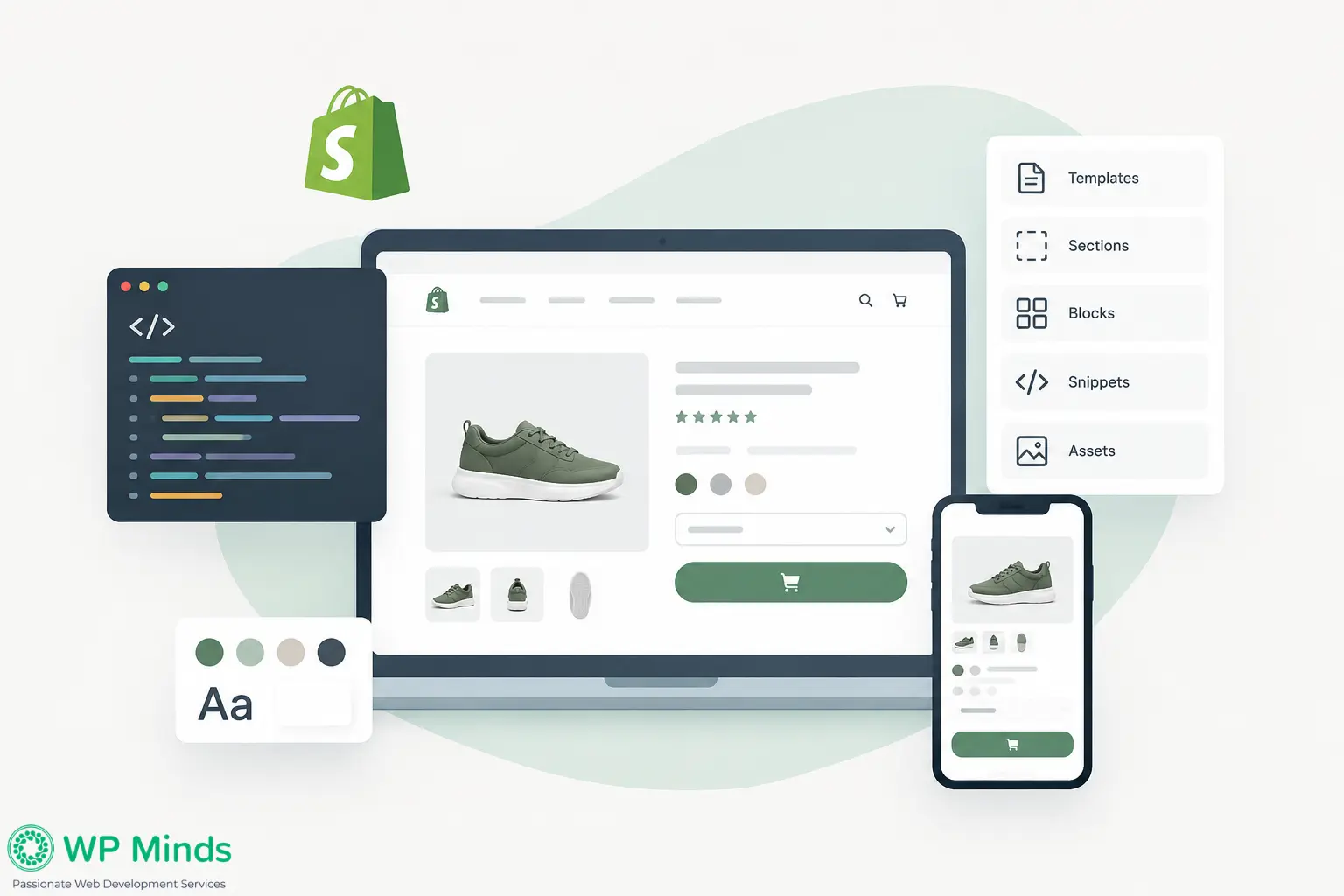
Shopify themes use Liquid, Shopify’s templating language, together with HTML, CSS, JavaScript and Shopify’s theme architecture.
Several parts work together:
- Templates control the structure used for different page types.
- JSON templates define which sections appear on many Shopify pages and how those sections are arranged.
- Sections are reusable page components such as banners, product information, testimonials or featured collections.
- Blocks are smaller editable elements inside sections.
- Snippets contain reusable pieces of Liquid code that can be included in different theme files.
- Assets contain files such as CSS, JavaScript, images and other resources used by the theme.
Liquid then connects these layouts to Shopify data such as:
- Products
- Collections
- Prices
- Images
- Variants
- Cart information
- Customer information
- Theme settings
A good custom theme should not just match the design. It should work naturally with Shopify’s content and ecommerce system.
Also Read: How to Launch Shopify Store — The Ultimate Guide to Going Live
6. Develop Reusable Sections and Components
A custom theme should not require a developer every time you want to create a new page.
Reusable sections can include:
- Featured products
- Testimonials
- Promotional banners
- Product benefits
- Image-and-text sections
- FAQs
- Product recommendations
Blocks can give store managers additional control within those sections.
For example, instead of hard-coding three benefits into a product page, the theme could allow the store manager to add, remove, reorder or edit individual benefit blocks. This makes the theme easier to maintain as the store grows.
7. Make the Theme Responsive
The mobile version of a Shopify store should not simply be a smaller desktop layout.
Responsive development may require changes to:
- Navigation
- Product grids
- Product galleries
- Image sizes
- Typography
- Buttons
- Forms
- Spacing
- Variant selectors
Customers may also behave differently on smaller screens. A large desktop navigation menu, for example, may need to become a simpler mobile menu with faster access to search and product categories.
Responsive behavior should be planned during design and development rather than added at the end.
8. Build With Performance in Mind
Custom design can introduce extra images, scripts, animations, fonts and functionality. Each addition should justify its effect on performance.
Developers should pay attention to:
- Image sizes
- JavaScript
- CSS
- Third-party scripts
- Font loading
- App integrations
- Unnecessary theme code
Performance also affects conversion. If customers wait too long for product images, variant selectors or navigation to become usable, they may leave before buying.
That is why website conversion should be considered alongside design and performance decisions.
“Shopify publishes real-user Core Web Vitals data for its themes, supporting the importance of theme performance alongside design.”
Source: Shopify
9. Test the Store Before Launch
Testing should cover much more than whether the homepage looks correct. Test the theme across different browsers, devices, screen sizes, products and shopping scenarios.
Check:
- Navigation
- Product pages
- Variants
- Collection filters
- Search
- Add to Cart
- Cart functionality
- Forms
- Mobile layouts
- Images
- Links
- App integrations
- Theme settings
Use real products where possible. A product page may work correctly with a simple product but behave differently when there are multiple variants, long titles, unavailable options or unusual image dimensions.
Testing these cases before launch reduces customer-facing problems later.
10. Launch, Monitor and Refine
Publishing the theme is not the final step. After launch, watch how customers interact with the new store.
Look for:
- High-exit pages
- Low product engagement
- Mobile usability issues
- Cart abandonment
- Checkout drop-offs
- Customer feedback
- Unexpected display problems
Use that information to improve the experience. A custom theme gives you more control, but continued testing tells you where that control should be used.
When Should You Customize an Existing Theme Instead?
Custom development is not necessary for every Shopify store.
Customize an existing theme when:
- Its basic page structure already works
- Your changes are mainly visual
- You only need minor functionality changes
- Your product experience is fairly standard
- The theme already supports your required sections
Consider a fully custom theme when:
- You repeatedly work around theme limitations
- Your product pages require unusual layouts
- Your mobile shopping experience is different
- Your conversion strategy requires a specific customer journey
- You need deeper control over UX
- Existing theme code has become difficult to maintain
- Custom functionality is central to the shopping experience
The decision should be based on requirements, not simply the desire to have a different-looking store.
Build the Theme Around the Store
Custom Shopify theme development is about more than changing the appearance of a store.
The process should move logically from strategy → structure → UX → UI design → Liquid development → reusable components → responsive development → performance → testing → launch.
Each stage should support the next.
For stores with requirements that go beyond a standard theme, shopify custom theme development can provide more control over the storefront experience. Businesses that need broader ecommerce planning and development can also explore shopify website development.
Need help deciding whether your store needs a custom theme?
Talk with WP Minds about your Shopify requirements and whether customization or custom development makes more sense.
More Related Blogs:
- Shopify Pros and Cons You Can’t Ignore Before Starting
- 12 Best Shopify Websites in 2026 Including Key Features
- WooCommerce vs Shopify: Which is Better for Your Online Store in 2026?
FAQs (Frequently Asked Questions)
What Is the Difference Between a Custom Shopify Theme and Theme Customization?
Theme customization starts with an existing Shopify theme and changes its settings, styling, layouts or code. Custom theme development builds the structure and functionality around the store’s specific requirements. Custom development requires more planning and development but provides greater control.
When Should I Build a Custom Shopify Theme Instead of Customizing an Existing Theme?
Consider custom development when an existing theme cannot support the customer experience, page structure, functionality or conversion journey you need without repeated workarounds. If your requirements are mainly visual or relatively simple, customizing an existing theme is usually more practical.
Do I Need a Developer to Create a Custom Shopify Theme?
Custom Shopify theme development generally requires knowledge of Shopify’s theme architecture, Liquid, HTML, CSS, JavaScript, responsive development and testing. A developer is usually recommended when building a theme from scratch or creating functionality beyond standard Shopify theme settings.
How Much Does Custom Shopify Theme Development Cost?
Cost depends on the number of templates, design requirements, custom functionality, integrations, content needs and overall complexity. A relatively simple custom storefront will require less development than a store with advanced product experiences or integrations.
How Long Does It Take to Develop a Custom Shopify Theme?
The timeline depends on the scope of the project. Strategy, UX, design, Liquid development, integrations, content migration, testing and revisions all affect how long the project takes.
Can a Custom Shopify Theme Improve My Store's UX and Performance?
Yes, when it is planned and developed carefully. A custom theme can improve navigation, simplify layouts, remove unnecessary code and build the shopping experience around customer needs. Performance still depends on how the theme, apps, scripts and media are implemented and maintained.

Popular Guides
View All Guides