

WooCommerce Security: Guide and Prevention


Worried about your WooCommerce security?
Security is essential when it comes to your online store. Why? Because it’s hackers’ favourite platform for cyberattacks.
E-commerce store security isn’t like typical website security. You deal with brute force attacks, user logins, payment options, banking details, and personal data. This is also what hackers need.
With flexibility, WooCommerce platforms bring some risks. So, how do you protect your WooCommerce store from cyber threats?
In this article, we have provided a complete guide on WooCommerce security overview, best practices to avoid security breaches, key plugins, and threat prevention strategies to keep your store safe.
Let’s dive in!
WooCommerce Security Overview
WooCommerce empowers 28% of global online stores. Imagine you woke up with a cup of coffee in your hand and found your WooCommerce store broken.
Orders are missing, customer data is leaked, sales are nil, and customers are piling up your inbox with frustration. It’s a nightmare. Right?
The truth is, it happens every single day.
- Thousands of brute force login attempts hit WordPress sites daily.
- Major security vulnerabilities in WordPress environments come from plugins and themes.
WooCommerce is built on WordPress. It inherits its vulnerabilities along with flexibility.
With attacks like brute force logins, SQL injections, plugin exploits, and card skimming on the rise. It’s worth investing in your WooCommerce security
What Causes WooCommerce Security Breaches?
We analysed core security, plugin vulnerabilities, and common exploit patterns for WooCommerce. We found that the following are the most common practices that lead to data and security breaches.
- Outdated plugins.
- Plugins and themes conflict.
- An inexperienced person is handling a WooCommerce store.
- Installation of an unauthorised third-party plugin for an extra feature.
- Mis-handling of logins and user role management credentials.
The good thing is that WooCommerce provides regular updates to prevent such vulnerabilities from happening. Below are the most common phishing issues.
Common WooCommerce Security Issues
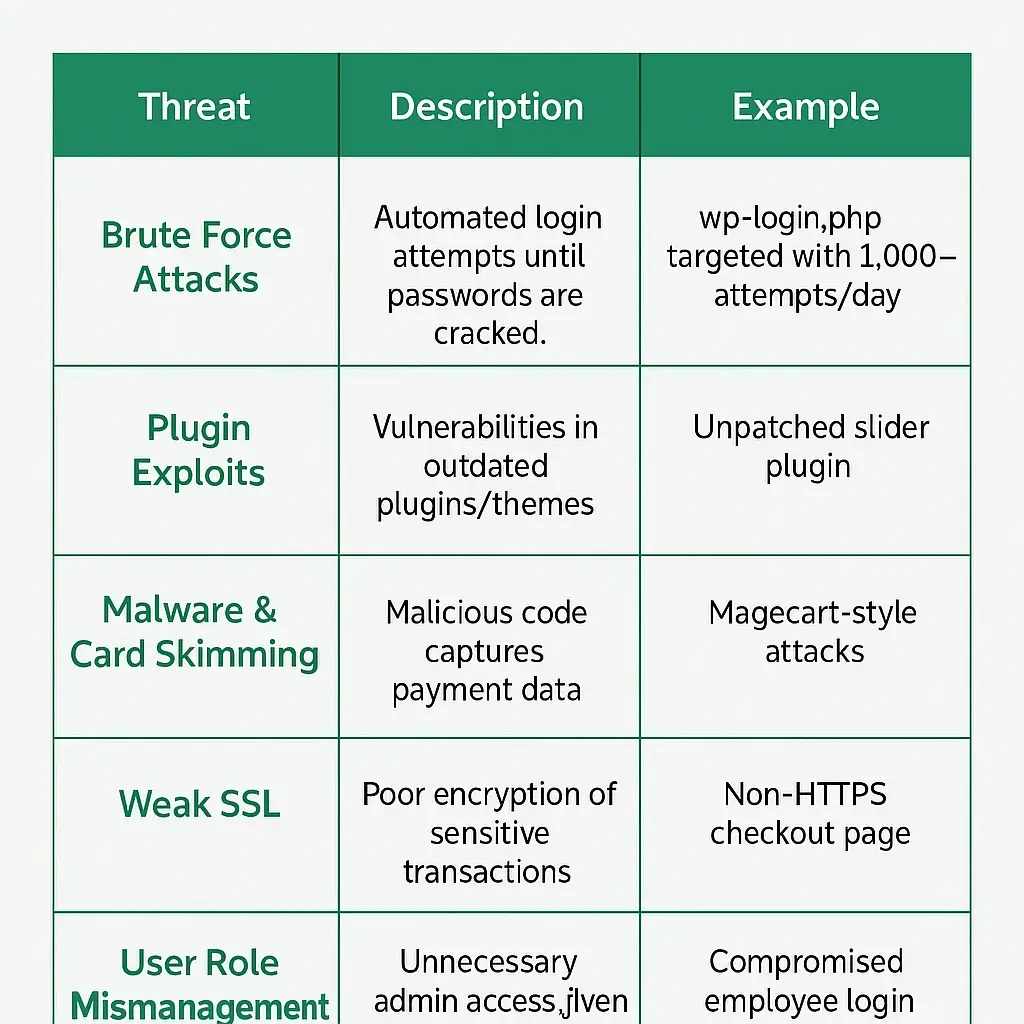
Some of the most common WooCommerce security issues are
- Brute force attacks: Repeated login attempts until credentials are checked.
- Malware injections: Malicious code added to files using SQL injection.
- Outdated plugins: An old version is an easy entry point for cyberpunk.
- Weak SSL implementation: Not using proper security protocols. i.e, HTTPS.
- User role mismanagement: Admin-level access is given too freely. Relying on multiple freelancers for specific tasks.
Modern WooCommerce Security Issues
- AI-powered phishing, or phishing 2.0, aims to bypass security bridges.
- Email phishing, almost identical email IDs are used to attempt manipulation.
- Cross-site scripting is mostly used in card skimming.
A day-to-day maintenance, timely updates, the right tools, and the right team can prevent all these issues, even before they appear.
Explore WooCommerce maintenance packages.
How to Prevent WooCommerce Security Issues?
You can prevent security issues by following best practices. Or you can hire a full-time maintenance agency to handle your store and focus on your sales. Below are the best practices.
WooCommerce Security Best Practices
Follow WooCommerce security best practices to prevent any data leakage.
- Enable SSL and force HTTPS (WooCommerce SSL setup).
- Regularly update WordPress, WooCommerce & plugins.
- Use strong admin passwords and enable 2FA.
- Limit login attempts (brute force protection).
- Assign user roles carefully (WooCommerce user roles security).
- Schedule regular malware scans.
- Use a firewall to block malicious IPs.
- Avoid nulled themes/plugins.
These best practices significantly reduce your risk of being targeted.
Best WooCommerce Security Plugins
Most of the WooCommerce issues are caused by third-party plugins. They can also be prevented by authorized security plugins. Here is the list of the best security plugins for your WooCommerce store.
- Wordfence Security.
- Sucuri Security.
- All In One WP Security & Firewall.
- MalCare Security.
- Jetpack Security.
1. Wordfence
Key Features:
- Firewall with real-time threat defense.
- Malware scanner available.
- Two-factor authentication (2FA).
- Limits Login attempts.
Best for: Overall security for WordPress & WooCommerce stores.
Free/Paid: Free version available. Premium from $119/year.

2. iThemes Security Pro
Key Features:
- Brute force protection.
- Scheduled malware scans.
- Database backups included.
Best for: Easy-to-use interface and setup.
Free/Paid: Free version; Pro starts at $99/year.
All In One WP Security & Firewall
Key Features:
- Login shut down to prevent brute-force attacks.
- Database and file security.
- A security scanner to prevent an invader.
- Firewall rules.
Best for: Free users looking for a comprehensive solution.
Free/Paid: 100% Free.
3. MalCare
Key features:
- Cloud-based scanning (no server load).
- One-click malware removal.
- Simple, clean dashboard.
Best for: Automated malware cleanup without technical knowledge.
Free/Paid: Free version; Premium from $99/year.
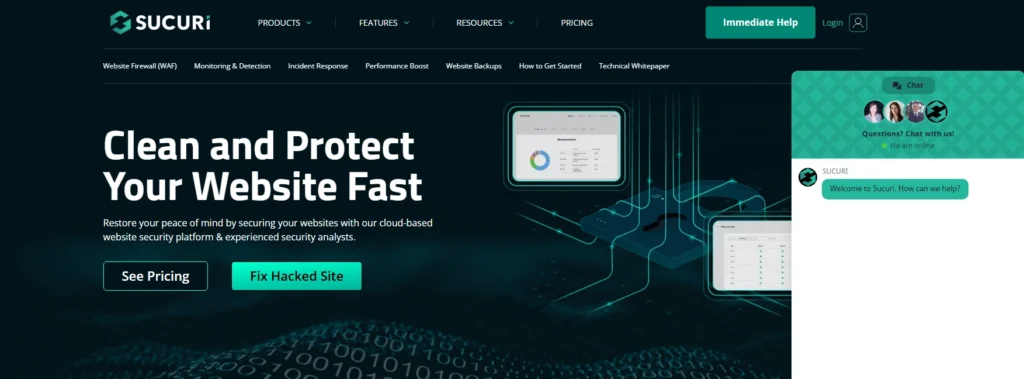
4. Sucuri Security
Key features:
- Website firewall (WAF)
- Real-time monitoring
- IP whitelisting & blacklist support
Best for: Professional-grade protection with malware cleanup.
Free/Paid: Free version available; Premium from $199.99/year.
5. Jetpack Security
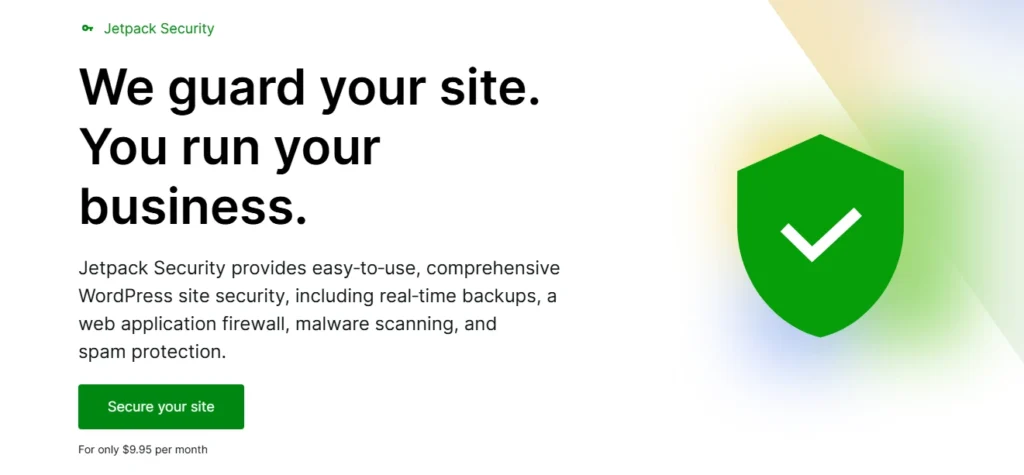
Key features
- Seamless integration with WooCommerce.
- Downtime monitoring.
- Auto backups and spam protection.
Best for: WooCommerce users who prefer Automattic-backed solutions.
Free/Paid: Free version available; Premium from $9.5/month.
Conclusion
Wrapping up, WooCommerce is no doubt vulnerable to threats. However, WooCommerce security adds an extra protective layer to your e-commerce store and maintaining and guarding your data.
We have listed the complete guide on WooCommerce security and also provided you with the prevention measures.
Now it’s up to you whether you compromise on security or take the necessary steps for prevention and maintenance.
We suggest, don’t wait for a breach to start taking security seriously.
Our WooCommerce Maintenance service ensures your store keep running without any bugs and security breaches.
Feel free to contact us, and we will be happy to help. Alternatively, you can check out our WooCommerce development Service if you need help with the design and development.
Get in touch!
How to secure a WooCommerce website?
You can secure a WooCommerce website by following best practices.
- Use a security plugin
- Regularly update
- 2FA and using strong admin password
- Enable SSL
- Keep everything updated
- Limit login attempts.
How to maintain the security of a WooCommerce website?
Perform regular backups, use malware scanners. Strict limit logins, and continuously monitor activity via firewalls or security plugins.
How to prevent security threats on WooCommerce?
Avoid unpatched plugin and themes, enable 2 factor authentication, use security and brute force protection plugins, activate SSl.
How can I prevent AI-driven phishing?
Ai phishing is modern WooCommerce security issue. By using advanced spam filters, and verify all payment or login requests via secondary channels you can prevent Ai phishing. And you need to be very attentive in tackling the Ai threats.

Popular Guides
View All Guides

