

Top 7 WooCommerce Payment Gateways for 2026


Looking for the best WooCommerce payment gateways to simplify your checkout process?
If you’re running a WooCommerce store, choosing the right payment gateway is very critical.
Your payment solution directly affects customer trust, checkout experience, and conversion rates.
With dozens of options out there, it can be overwhelming to decide which one fits best with your products, audience, and goals.
In this post, we break down the top 7 WooCommerce payment gateways, comparing their features, fees, global reach, ease of setup, and suitability for different business models.
Let’s get started!
What Is a WooCommerce Payment Gateway?
A WooCommerce payment gateway is a service that securely processes online payments by transferring customer payment data between your store, the bank, and the card network.
The right gateway ensures secure transactions, faster checkouts, regulatory compliance (PCI DSS, SCA), and higher conversion rates, especially on mobile and international stores.
Why Choosing the Right Payment Gateway Matters
Your payment gateway is more than just a tool to collect money.
It impacts:
- Customer trust: Secure, recognized gateways build credibility.
- Conversion rates: Smooth, fast checkouts reduce cart abandonment.
- Global reach: Accepting international currencies and cards expands your market.
- Cash flow: Payout speed can affect your daily operations.
- Fees: High transaction fees can eat into your profits.

Top 7 WooCommerce Payment Gateways
Below are the 7 best WooCommerce payment gateways you can use in 2026.
- Stripe
- PayPal
- WooPayments
- Adyen
- Square
- Razorpay
- Mollie
1. Stripe
It integrates natively with WooCommerce and offers a seamless checkout experience with advanced customisation options. Stripe remains one of the most powerful and developer-friendly gateways.
Best for: Modern Online Stores
Key Features:
- Accepts all major credit/debit cards, Apple Pay, Google Pay, ACH, SEPA, etc.
- One-click checkout and saved cards
- Built-in fraud protection and 3D Secure support
- Supports subscriptions and recurring payments
- Payouts within 2–7 days, depending on region
Pros:
- Easy to integrate with WooCommerce
- Clean, mobile-optimised checkout experience
- Transparent pricing
Cons:
- Requires Stripe account setup
- Some features (like custom reporting) need dev knowledge
Pricing:
The transaction fees can be a bit higher, but there is no monthly fee.

2. PayPal
PayPal is one of the most widely recognised and trusted payment gateways globally.
Many shoppers prefer it for its security and speed, especially for mobile transactions. However, advanced payment UX now favors embedded, wallet-based, low-friction checkouts, where PayPal alone is weaker unless paired with Braintree or Stripe.
Best for: Broad Customer Trust
Key Features:
- Accepts payments via PayPal balance, bank accounts, and cards
- PayPal Express Checkout integration
- Refunds and disputes are managed within the PayPal dashboard
- Offers PayPal Pay Later for eligible buyers
Pros:
- Customers don’t need to enter card details
- Very high customer trust and recognition
- Supports international currencies
Cons:
- Redirects to the PayPal site (unless using PayPal Pro)
- Higher dispute and chargeback frequency
- Complex fee structure in some regions
Pricing:
Merchant fees depend on transaction type.

3. WooPayments
Powered by Stripe but developed by WooCommerce itself, WooPayments is built for a seamless WooCommerce experience.
It offers tighter backend integration and easier management from your WordPress dashboard.
Best for: Native Integration with WooCommerce
Key Features:
- Accepts cards, Apple Pay, Google Pay, and more
- Local payment methods like iDEAL, Bancontact
- Instant deposits (for eligible stores)
- Subscriptions, pre-orders, and multi-currency support
- Dashboard insights are built into the WordPress admin
Pros:
- Zero setup hassle for WooCommerce users
- Built-in support for recurring payments
- Easy refund handling within WooCommerce
Cons:
- Fewer customisations compared to the Stripe standalone
- Available only in select countries (as of now)
Pricing:
Charges U.S. transactions at 2.9 % plus 1 % for international cards, with no setup or monthly fees

4. Adyen
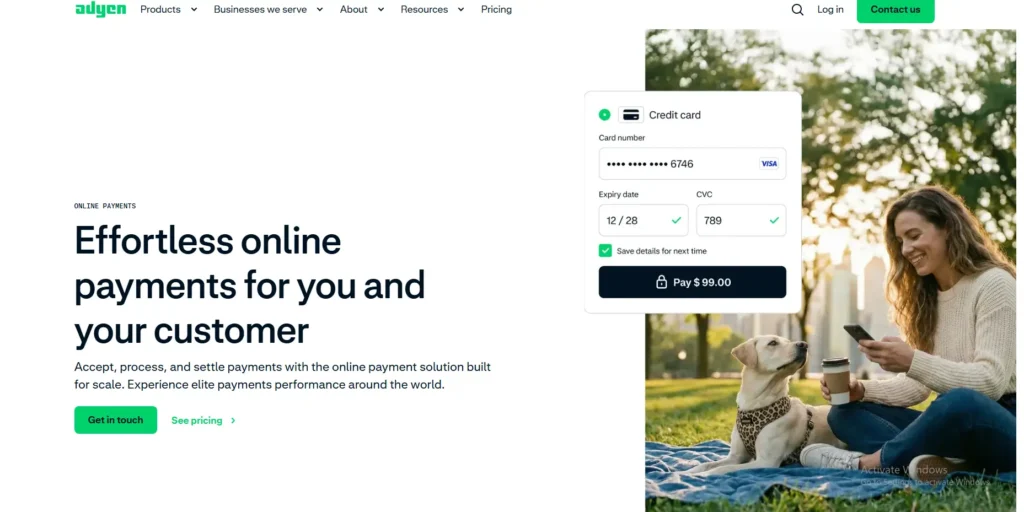
Adyen is a global, enterprise-grade payment platform designed for businesses that operate at scale or sell across multiple regions.
It provides a single, unified payment infrastructure that supports local and international payment methods while maintaining strong fraud protection and compliance standards.
Best for: Large & Global WooCommerce Stores
Key Features:
- Accepts cards, digital wallets, bank transfers, and more than a hundred local payment methods worldwide
- Unified checkout with embedded (non-redirect) payment experience
- Advanced fraud and risk management (RevenueProtect)
- Supports subscriptions, recurring payments, and tokenisation
- Strong compliance with PCI DSS, SCA, and global regulatory requirements
Pros:
- Enterprise-level reliability and scalability
- Excellent global coverage and local payment support
- Centralised reporting and payment management
- High approval rates due to optimised routing and risk controls
Cons:
- More complex setup compared to beginner-friendly gateways
- Best suited for medium to large businesses rather than small stores
- Pricing is not as transparent as consumer-focused gateways
Pricing:
Adyen uses a blended pricing model based on transaction volume, region, and payment method. There are no setup fees, but pricing is typically negotiated with the provider.
5. Square
Square is ideal if you’re selling both online and in physical locations.
Its seamless integration between POS and online WooCommerce makes it a top choice for hybrid businesses.
Best for: POS and Omnichannel Stores
Key Features:
- Syncs inventory and sales between online/offline
- Accepts all major credit/debit cards
- Mobile-friendly checkout
- Fast payouts (usually next day)
- Simple refund and dispute management
Pros:
- Great for physical stores using WooCommerce
- Excellent reporting and analytics
- Free POS hardware options
Cons:
- Fewer international payment options
- Limited support for complex WooCommerce setups
Pricing:
The fee varies for both online and physical products.

6. Razorpay
If you’re operating in India, Razorpay is the go-to solution.
It supports local wallets, UPI, net banking, and all major cards, catering to the digital preferences of Indian consumers.
Best for: Indian WooCommerce Stores
Key Features:
- Accepts UPI, net banking, EMI, cards, and wallets
- Smart payment buttons and checkout pages
- Subscriptions and invoices support
- Real-time transaction monitoring
Pros:
- Extensive local payment methods
- Competitive fees for Indian merchants
- Easy WooCommerce plugin installation
Cons:
- Not suitable for international-only stores
- Occasional delays in settlements
Pricing:
Domestic transactions cost 2 % + GST, international cards around 3 % + GST, with no setup fees

7. Mollie
Mollie is rapidly becoming the top choice in Europe for WooCommerce payment solutions.
With support for a variety of European payment methods, it provides flexibility and smooth transactions across the EU.
Key Features:
- Accepts iDEAL, Bancontact, SEPA, SOFORT, PayPal, and cards
- One-click payment support
- Full WooCommerce integration with detailed reporting
- Multilingual and multi-currency support
Pros:
- Strong presence in the EU
- Excellent documentation and support
- Transparent pricing, no hidden costs
Cons:
- Not as widely used outside Europe
- Limited availability in some regions
Pricing:
Charges per transaction only, with no startup, monthly, or gateway fees; exact rates vary by method.

How to Choose the Best WooCommerce Payment Gateway for You?
Here are some key considerations to help you decide:
1. Your Location & Customer Base
- Are your customers local or international?
- Do they prefer cards, wallets, or bank transfers?
2. Your Business Model
- Selling physical products, digital goods, or subscriptions?
- Need recurring billing or one-time payments?
3. Setup & Management
- Do you want a plug-and-play solution or high customisation?
- Do you need in-depth reports or just basic insights?
4. Pricing Structure
- Fixed transaction rates vs. tiered pricing
- Any hidden fees, refund charges, or monthly costs?
5. Security & Compliance
- Is the gateway PCI DSS compliant, and does it offer built-in fraud protection?
- Does it support features like 3D Secure, tokenisation, or chargeback management?
Pro Tip
Test your checkout process as a customer.
Before finalizing any payment gateway, place a few test orders yourself (and ask a friend to do the same). This helps you catch issues, see how smooth (or confusing) the experience is, and ensure everything works across devices.
How to Set Up Payment Gateways in WooCommerce?
Setting up payment gateways in WooCommerce is simple. There are custom methods; the best method is using the WooCommerce plugin. Here is how you can setup woocommerce payment in your store.
- Install WooCommerce
Make sure WooCommerce is installed and activated on your WordPress site.
- Go to WooCommerce Settings
Navigate to WooCommerce → Settings → Payments.
- Enable a Gateway
You’ll see a list of available gateways. Toggle enable next to the gateway you want to use.
- Configure the Gateway
Click set up or manage to add account credentials, API keys, or other configuration details.
- Test the Checkout
Always place a test order (and ask a friend to do the same) to ensure the gateway works across devices.
- Save Settings –
Click Save Changes to activate the gateway.
Conclusion
Wrapping up, choosing the right payment gateway is very important for your online store.
It helps you get paid smoothly, makes your customers feel safe, and can even boost your sales. A good payment gateway keeps things simple for both you and your buyers.
It also saves you time by automating payments and reducing errors. Plus, the right gateway can support your growth as your business expands.
Need help choosing the right gateway or integrating it with your WooCommerce site?
Feel free to contact us, and we will be happy to help with everything from selection to setup. Alternatively, you can check out our WooCommerce Maintenance Service if you need help with the setup.
Let’s make your checkout smooth, secure, and ready for growth!
FAQS
What Are the Top 7 WooCommerce Payment Gateways in 2026?
The top 7 WooCommerce payment gateways you can use in 2026 are
- Stripe – Most common WooCommerce-first options
- PayPal – Most common WooCommerce-first options
- WooPayments – Most common WooCommerce-first options
- Adyen – Enterprise-grade solution for large, global WooCommerce stores
- Square – Best for omnichannel businesses with online and physical stores
- Razorpay – Top choice for India-based WooCommerce stores
- Mollie – Leading payment gateway for European markets
What payment options does WooCommerce support?
WooCommerce supports a wide range of payment gateways, including Stripe, PayPal, WooPayments, etc. You can enable multiple gateways at the same time to give customers options.
Is Stripe for WooCommerce Free?
Yes, Stripe itself has no monthly or setup fees for WooCommerce. You only pay transaction fees per successful payment ( 2.9% + $0.30 per successful card charge)

Popular Guides
View All Guides

